 MoonGit

 Deutsch
 Español
 Français
 日本語
 עברית
 Português (Brasil)
 繁體中文
1.0.12 · Branch Review, Open in MoonGit, and worktree cleanup from the graph
Review and clean up branches safely, open repositories from File Explorer, and discard and remove worktrees from the graph after seeing exactly what will be lost.
Read the detailed walkthrough of 1.0.12 for screenshots and examples.
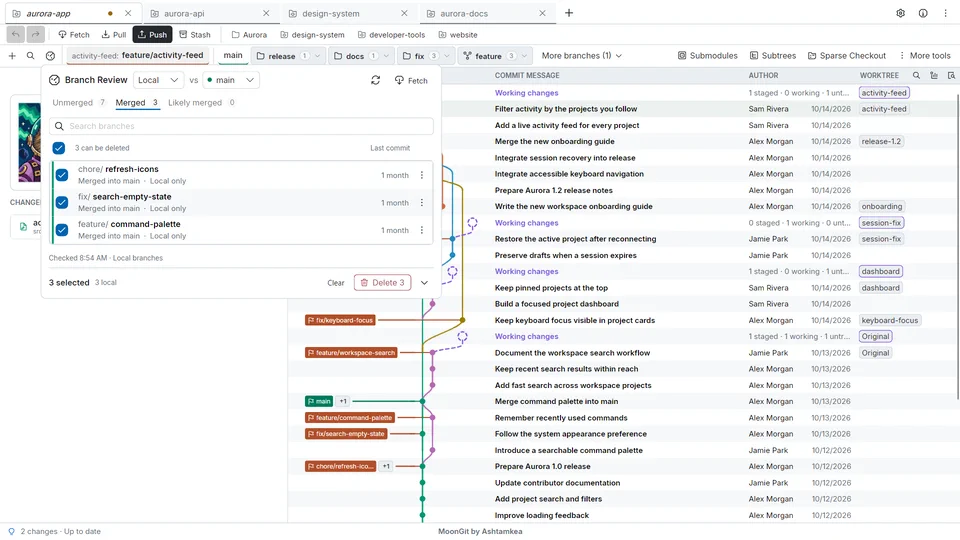
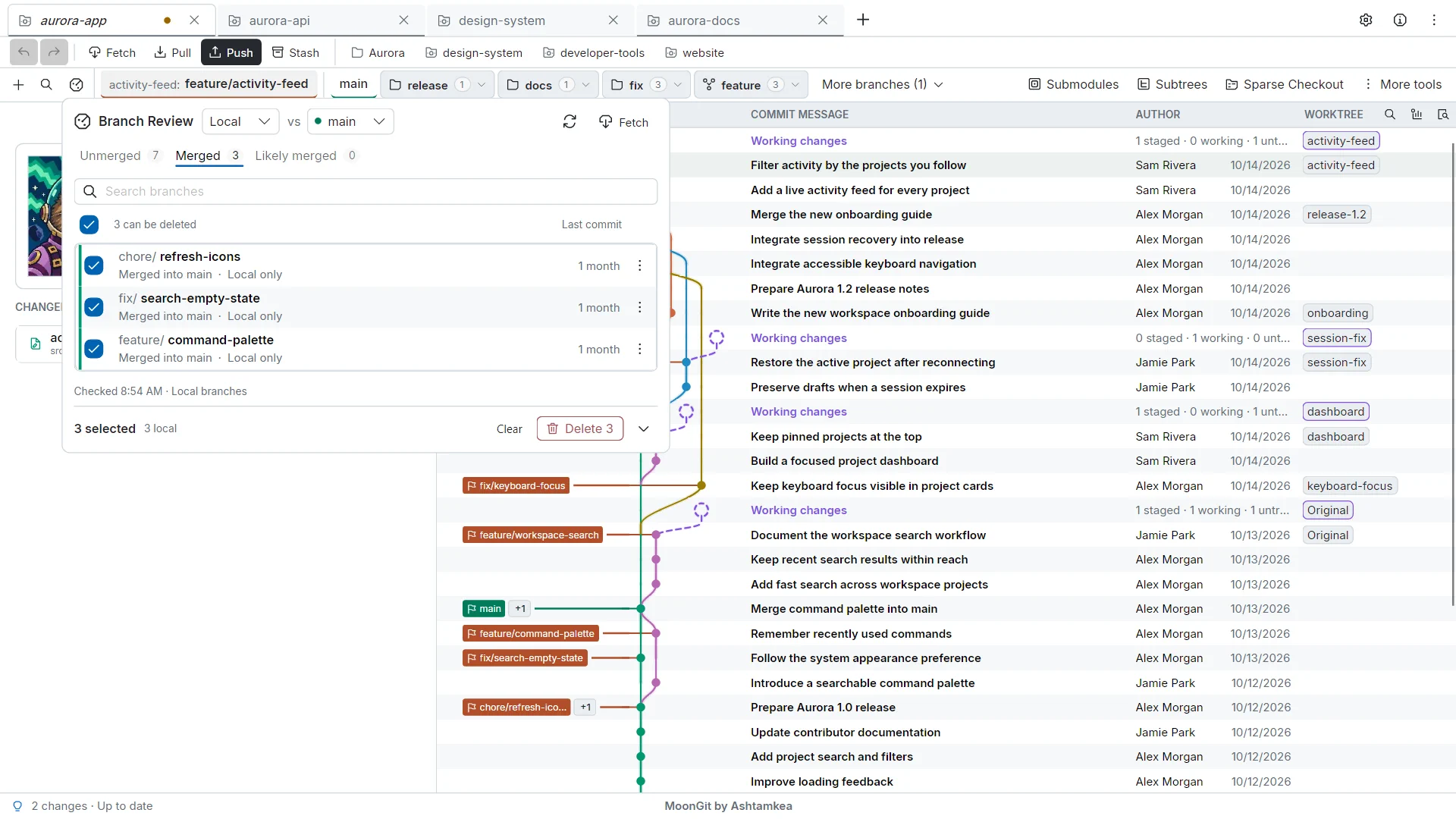
Branch Review
- Compare local or remote branches with
main,masterordevelopand see which are merged, likely merged or still unmerged. - Branch Review explains protected and checked-out branches, previews the work a cleanup removes, and shows each step and its progress while the cleanup runs.
- It opens faster, deletes several merged branches in a fraction of the time, and stays open when you jump to a branch tip.
Worktrees
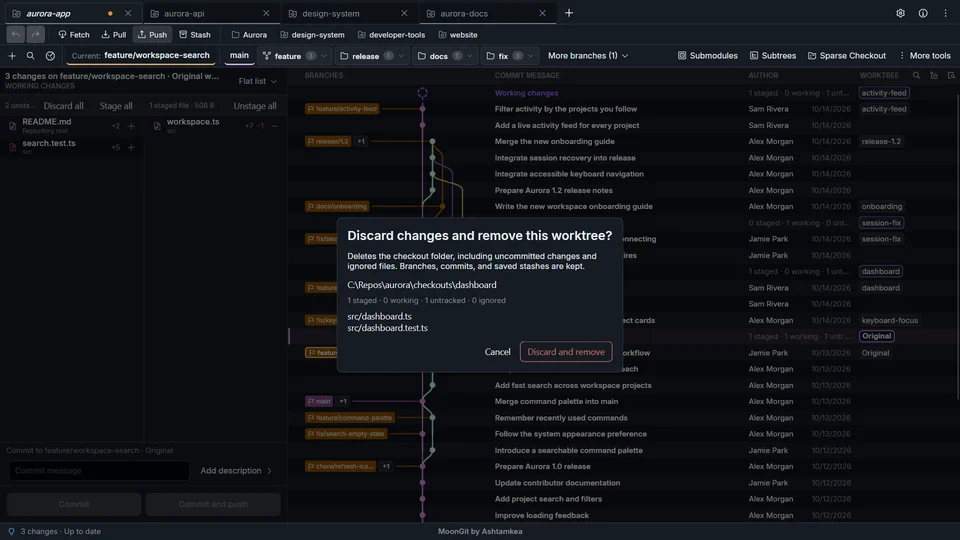
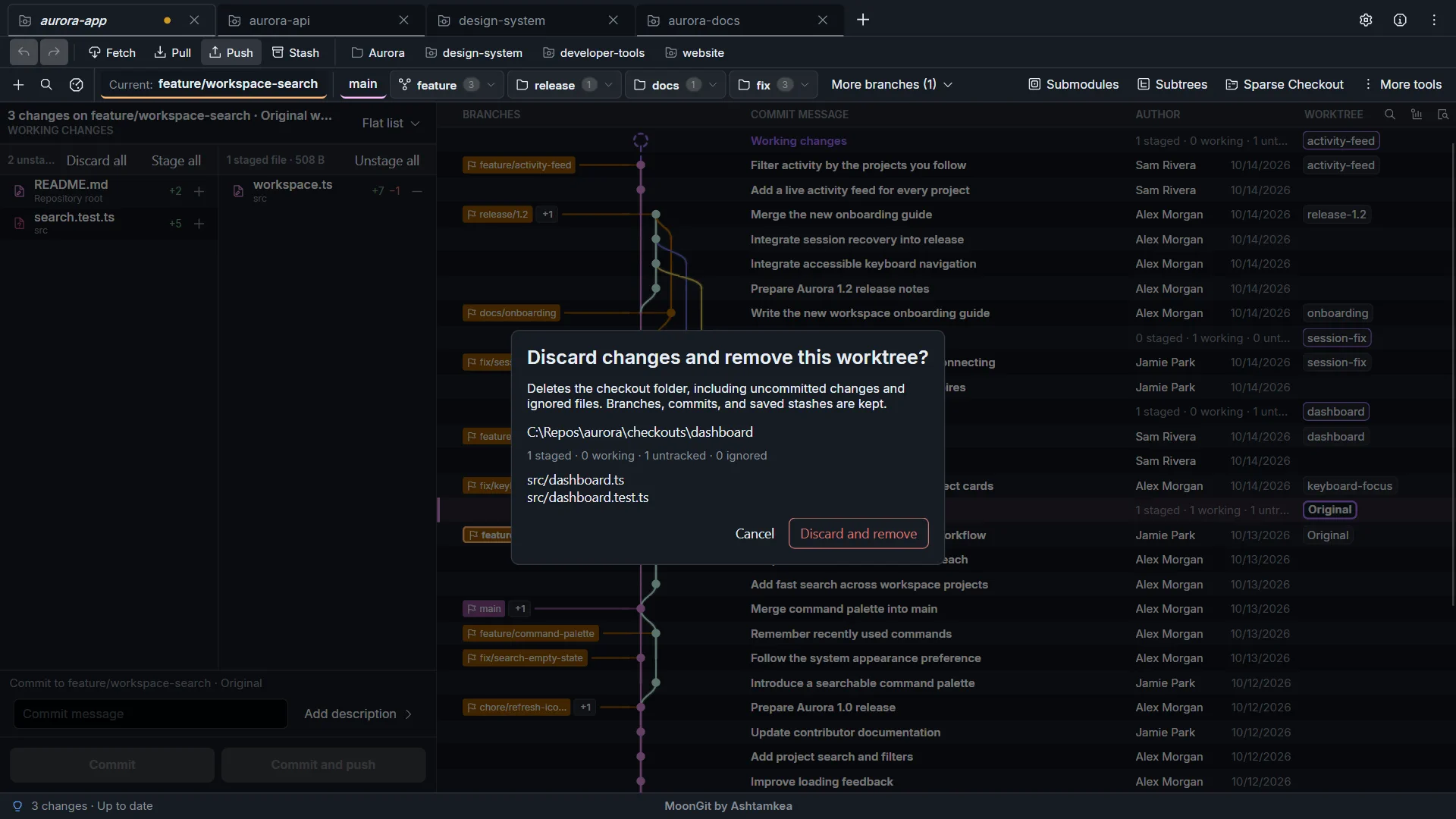
- Discard a worktree's changes and remove it right from the graph, after reviewing the files that will be lost. This includes the worktree you are working in; tabs that use it return to Original.
- A linked worktree with unsaved work can also be removed from the Worktrees panel through the same review.
Open in MoonGit from File Explorer
- Right-click a folder, or the empty space inside one, and choose Open in MoonGit. A subfolder opens its repository, linked worktrees open in their own checkout, and an existing MoonGit window handles the request.
Also in this release
- The stash inspector lists each stash's saved files and shows their diffs.
- CI status fits in one inspector card, with a clearer prompt for CI account access.
- Checkout status uses Git when a repository configures a file filter, so the status reflects that filter's behavior.
- Improved the Microsoft Store trial and rating prompts, including a Share action.
- Fixed a save sound that could play when you returned to a tab with uncommitted changes.
Git for Windows is required for repository operations. Windows in S mode is not supported.
Get it
MoonGit 1.0.12 is available on the Microsoft Store.