 MoonGit
 features
DocsSee multiple worktrees in one graph, organize repository bookmarks, and review Git changes with MoonGit for Windows.
This overview covers MoonGit for Windows, checked against the installed Microsoft Store version 1.0.11 on November 18, 2026. Check your version in About and see the release notes. Guides that show development previews label them separately.
Multiple worktrees, one graph
Keep a feature, a hotfix and a release checkout in separate folders while seeing their worktree labels, working changes and connected history together in one commit graph. Check the selected branch and checkout before staging or running a command.
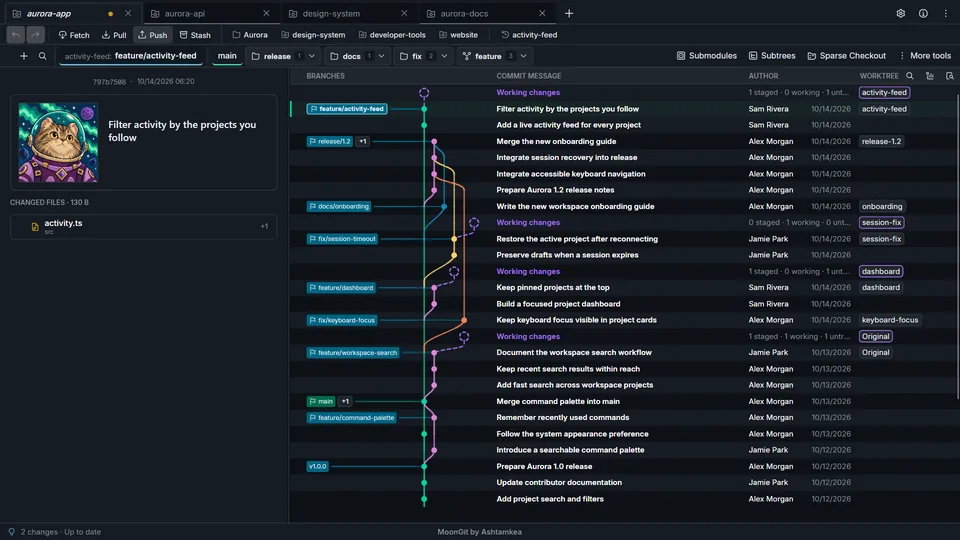
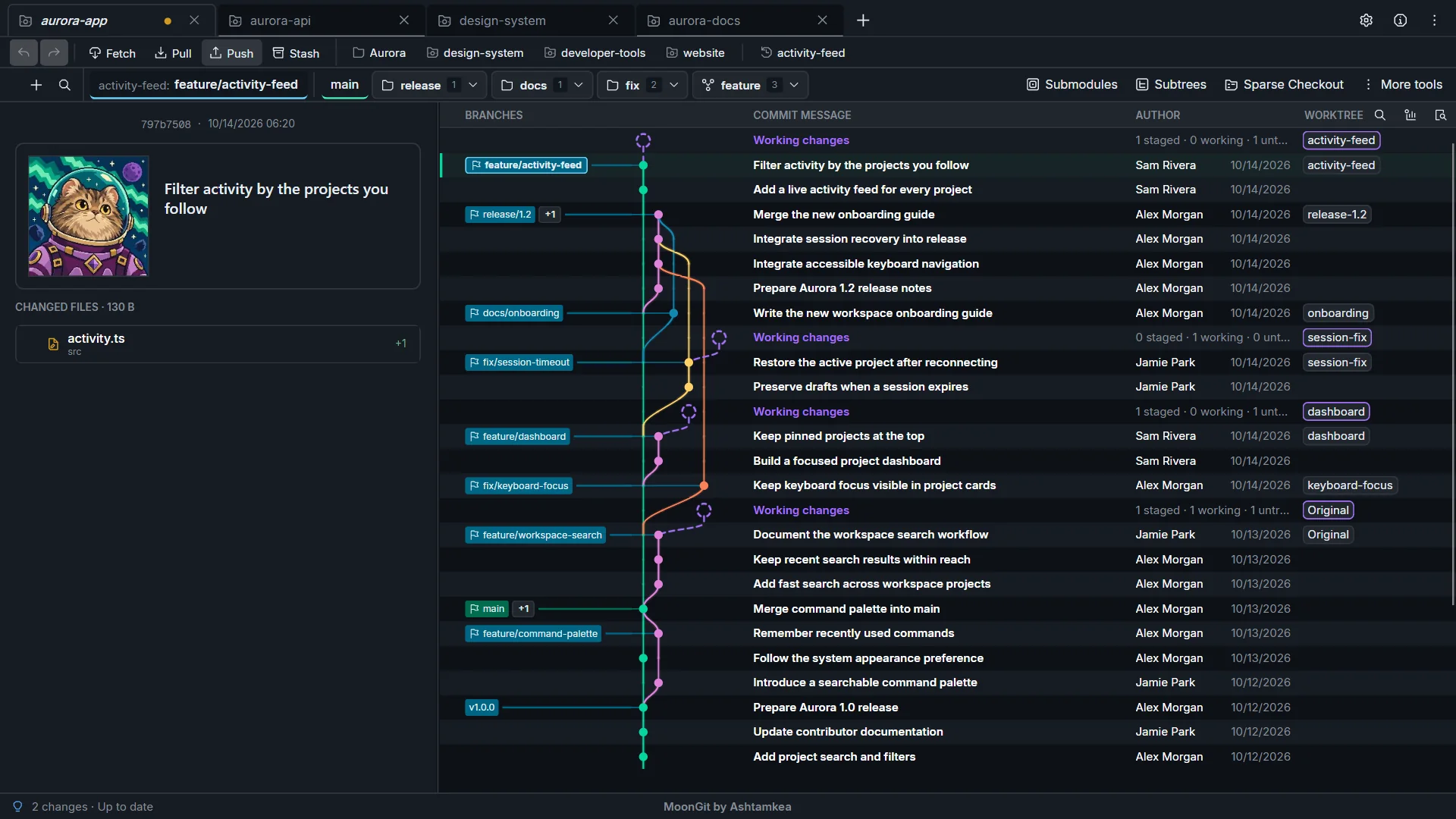
A workspace with some character
Keep repository bookmarks in folders, choose icons and colors, and move between open projects with tabs. MoonGit pairs its space theme with playful details, including the piano feature. Watch the trailer to see the design and sound in motion.
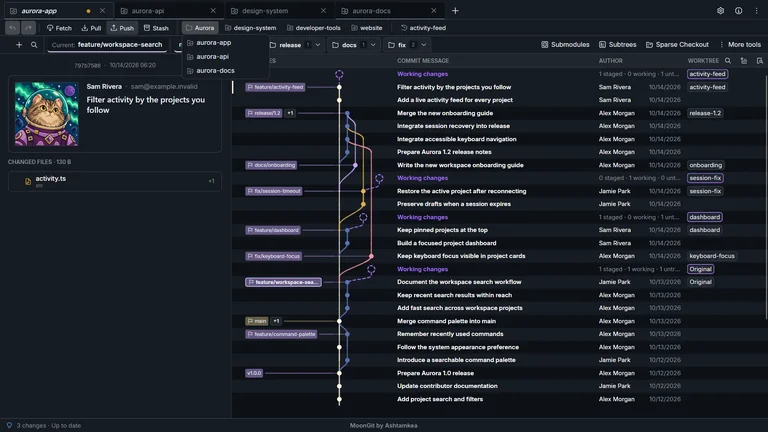
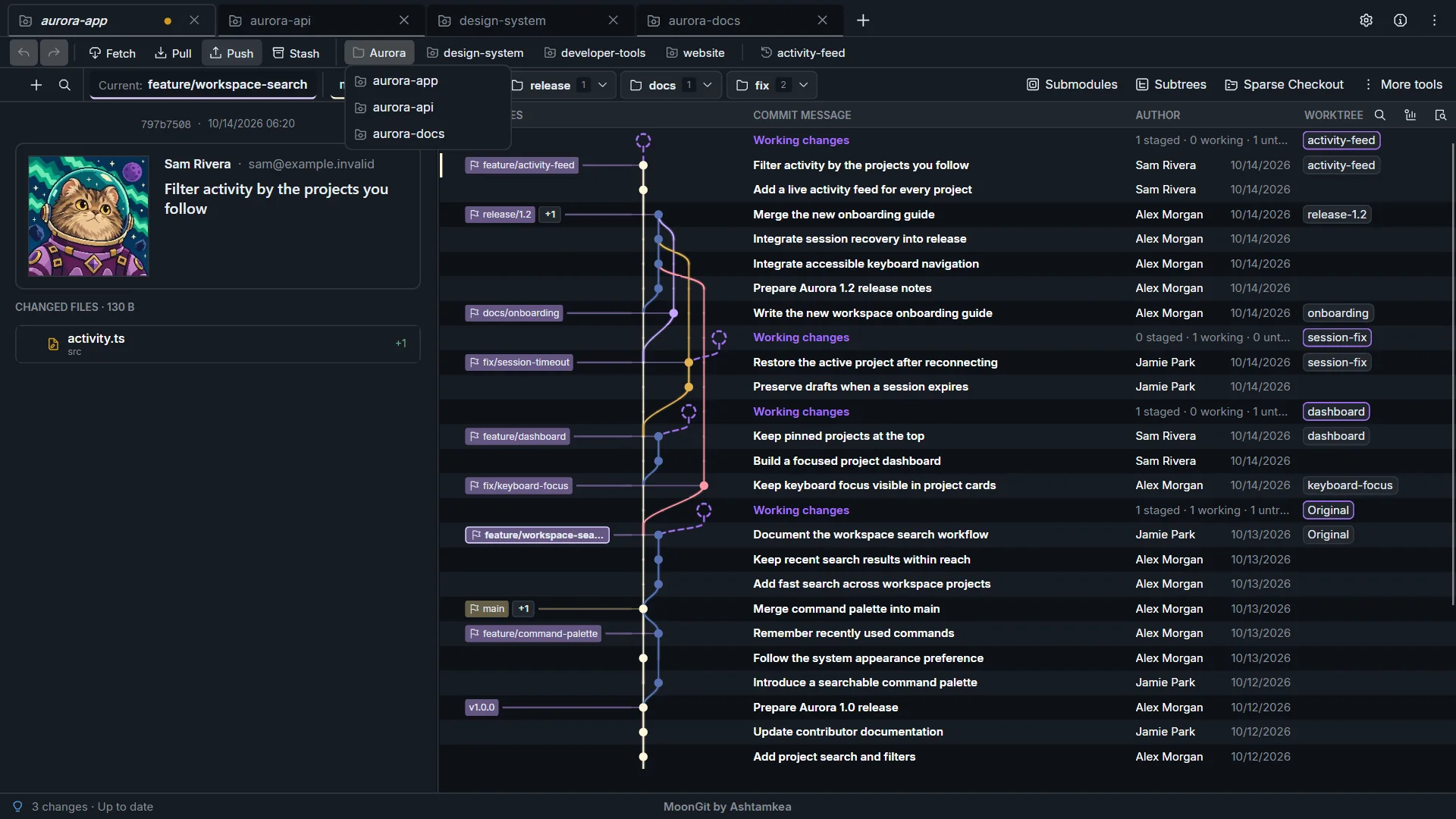
Organize and customize bookmarks.
Capabilities and walkthroughs
Optional tools may need enabling under Settings → Advanced features. Each guide explains its setup and limits. See the MoonGit integrations and compatibility guide for supported hosting editions, CI services, AI providers and MCP clients.
| Feature | What it does | Guide |
|---|---|---|
| Worktrees in one graph | Follow parallel checkouts and their shared history in the same view. | Guide |
| Bookmarks and tabs | Group repositories in folders and customize bookmark names, icons and colors. | Guide |
| Review and staging | Inspect diffs and stage files, hunks or selected lines before committing. | Guide |
| Cherry-pick and revert | Move a fix to another branch or create a commit reversing a shared change. | Guide |
| Interactive rebase | Review a plan to reorder, reword, squash, fix up or drop local commits. | Guide |
| History and recovery | Inspect the reflog and saved recovery points before choosing a recovery action. | Guide |
| Hosting accounts | Discover repositories through six hosting services; Git transport has its own credentials. | Guide |
| CI results | Inspect available runs, jobs and steps for a commit, then open provider logs. | Guide |
| Advanced Git | Work with submodules, subtrees, Git LFS, sparse checkout and commit signing. | Guide |
| Optional Git CLI | Run Git commands inside MoonGit when enabled in Settings. | Guide |
| Optional AI drafts | Request an editable commit-message draft from a provider you configure. | Guide |
| Optional MCP | Let a compatible local client request repository context after you enable access. | Guide |
Advanced Git guides: submodules, subtrees, sparse checkout and commit signing.
Requirements, privacy and availability
Install Git for Windows before using MoonGit. Local history, diffs and commits work offline; remote operations and connected services need access to their server. AI providers can charge separately and receive the staged context used for a draft. MCP access is optional and local clients can pass retrieved data to their own providers.
Data handling · Release availability and verification · Email support. Explorer opening is in development; it is not a capability claimed for Store version 1.0.11.