MoonGit
Clean up local commits with interactive rebase
Reorder or combine commits in the planner and resolve conflicts while Git replays the branch.
Choose a base and review the plan
Enable Interactive rebase under Settings → Advanced features if needed. Open the branch or commit action for interactive rebase. Check both Branch being rewritten and Replay onto. Start with a clean checkout of the local branch you want to edit.
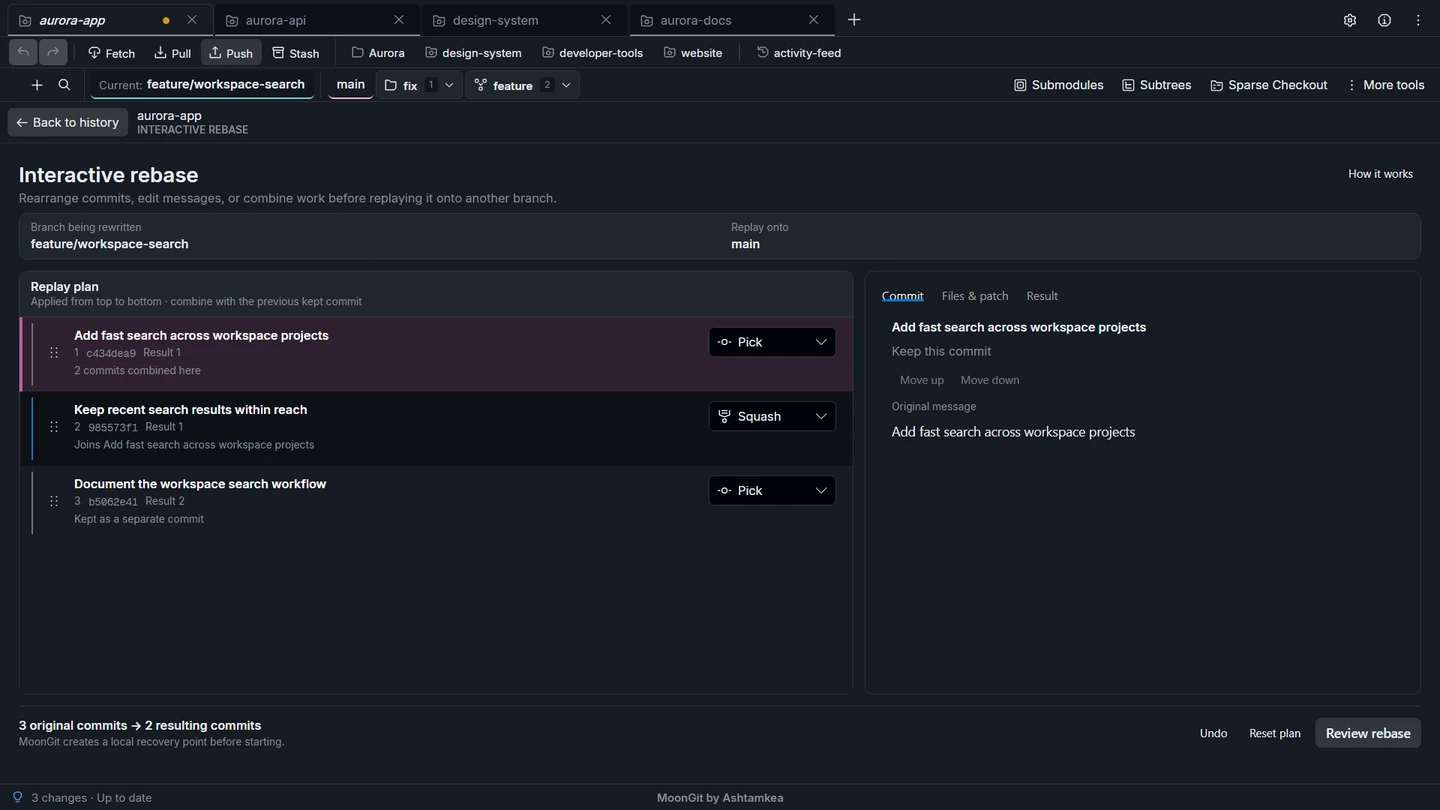
Turn three commits into two
For example, take three commits: “Add search”, “Fix empty state”, and “Document search”. Set them to Pick, Squash, and Pick. The plan combines the first two. Review the resulting message before confirming.
| Action | Effect |
|---|---|
| Pick | Apply this commit. |
| Reword | Edit its message. |
| Squash | Combine it with the previous kept commit and review the combined message. |
| Fixup | Combine it with the previous kept commit and keep that earlier message. |
| Drop | Omit the commit from the plan. |
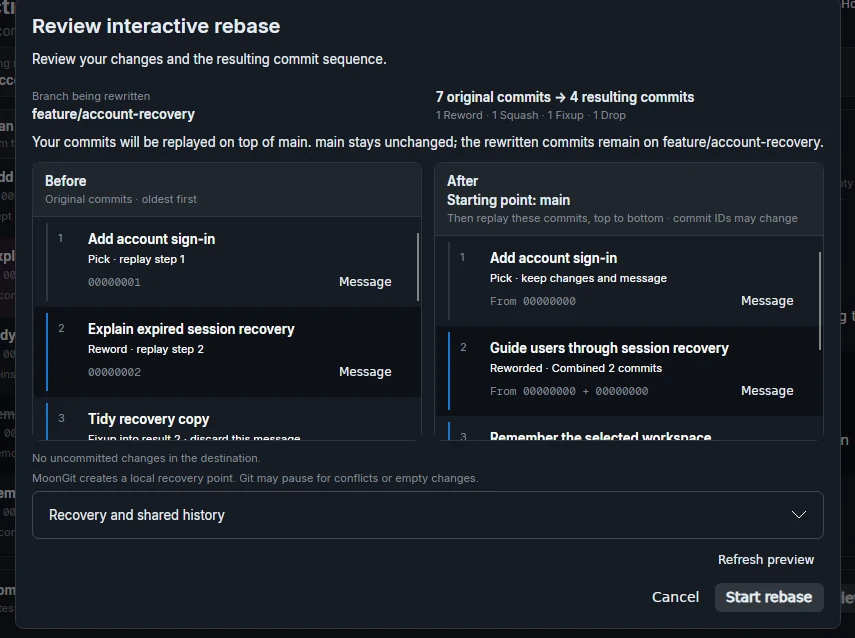
Use the Result tab to preview the new messages and order. Git replays from top to bottom. Reordering dependent changes can cause conflicts. A rebase creates new commit IDs. Coordinate with collaborators before rewriting a branch they use.
Verify or continue the rebase
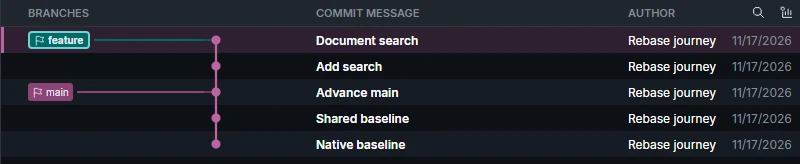
After completion, choose Back to history and check that the graph shows two commits above the intended base. Open the first commit in the replay order and confirm it contains both search changes. If the rebase pauses, resolve the conflict and use the continue control. Read the abort confirmation if you need to abandon the rewrite.
In the three-commit example, the resulting graph shows Document search at the tip and Add search beneath it, followed by the base. The new Add search commit includes the empty-state fix.