MoonGit
Resolve merge and rebase conflicts
Inspect current and incoming changes, save the intended result, and resume the paused Git operation.
Read the operation and file names
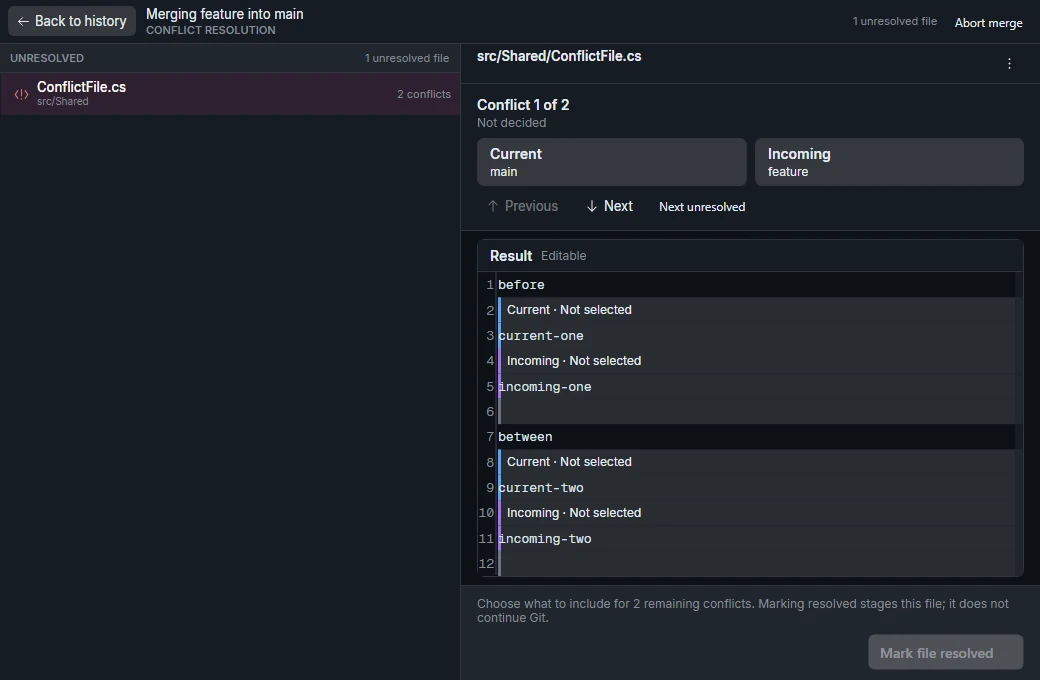
Open the conflict resolver from the paused merge, rebase, or cherry-pick. Select a conflicted file and read the operation context and the Current and Incoming labels before choosing a side.
For a merge of feature/search into main, current is the checked-out destination and incoming is the feature branch. During a rebase onto main, the current side is the history built on the new base so far and the incoming side is the commit being replayed. Check the labels in the resolver for your specific operation.
Resolve one file
- Select the conflicted region. For example, one side may change the empty-state text while the other adds a retry button. Keep both changes in the result when both are needed.
- Review the finished file for leftover conflict markers and confirm it still reads correctly.
- Select Mark file resolved to save the result and mark the file in Git. Confirm the file's status changed, then repeat for the other conflicted files.
For a binary file or a delete/modify conflict, use the file-level choice. Bulk Current and Incoming actions affect multiple files. Review the affected paths before using them.
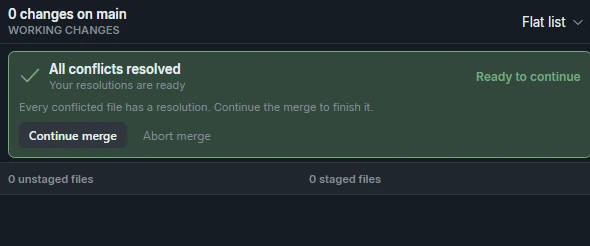
Resume or abort the operation
When every file is resolved, use the operation's continue or finish action. Run the relevant build or tests when practical and inspect the result in the graph. If you decide to abort, read what will be restored and save any manual resolution edits you want to keep first.