MoonGit
Review branches before cleaning up
Compare branch tips, inspect merge evidence, and confirm exactly what a cleanup will remove.
Development preview. The screenshots and cleanup progress on this page come from a development build. Check your installed version on the About page and the release notes before following these steps.
Choose what to compare
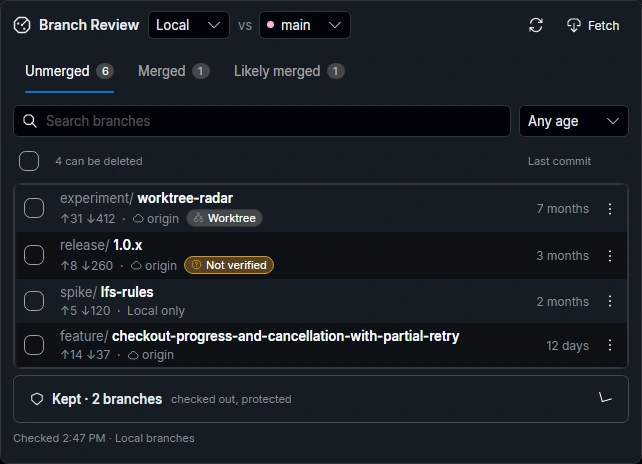
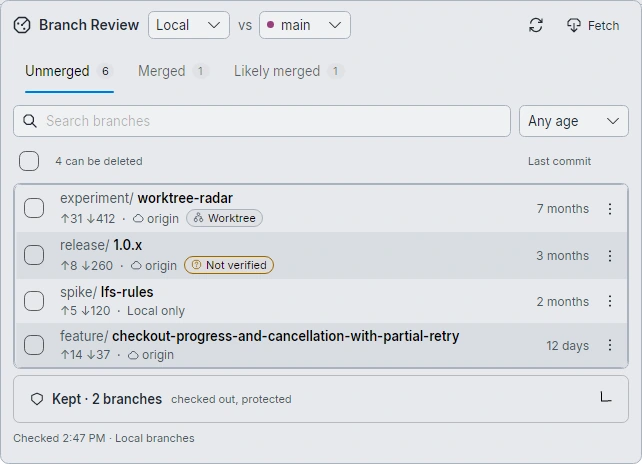
Open Branch Review in the branch controls when available. Choose Local or Remote, then check the baseline shown beside vs. It starts with your local develop when the repository has one. Long-lived branches such as main, master and develop are comparison choices only; they never appear in the list. For remote branches, select the right remote and fetch if you need current refs. A branch can be merged into one baseline and still be missing from another.
Read the merge state
- Merged means the comparison history contains the reviewed tip.
- Likely merged indicates evidence consistent with rewritten history, such as a squash. Inspect the patch before removing the branch.
- Unmerged means the chosen comparison has insufficient merge evidence.
Open the branch tip in the graph before deleting anything. Kept groups branches that are protected or currently checked out.
Confirm the cleanup scope
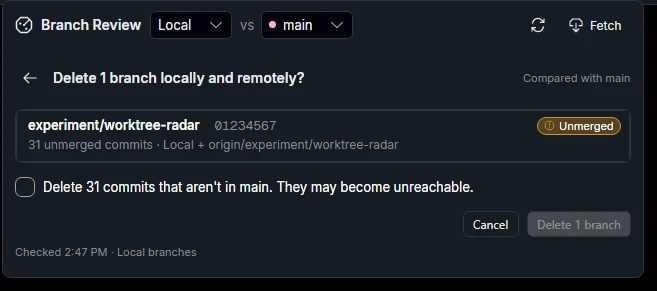
Review each local branch, remote branch, and linked worktree listed in the confirmation. Check for saved work and ignored files. A remote deletion affects the branch on the server. If you only want to remove a checkout folder, see Worktrees.
A branch whose worktree has uncommitted changes is kept. Use Save changes to stash to keep those changes, or check Also delete … and discard … to delete that branch with the others. Discarded changes can't be restored. MoonGit discards only the changes you reviewed: if a file changes before deletion, the branch and its folder are kept.
Follow a long cleanup
The activity list shows which branch and step MoonGit is handling, which steps finished, and where a recovery copy is being prepared. Reads can show file counts, data processed, and elapsed time. Stop ends remaining work after the current step is recorded. Review completed items and retained work before retrying. An earlier branch in the batch can have completed even if a later branch was stopped.
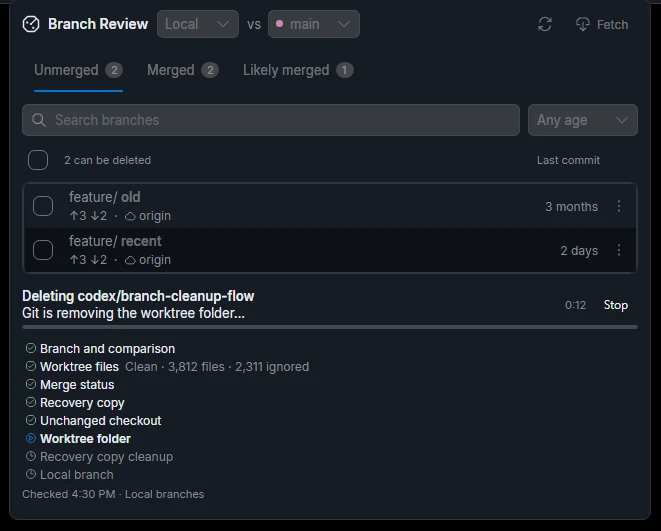
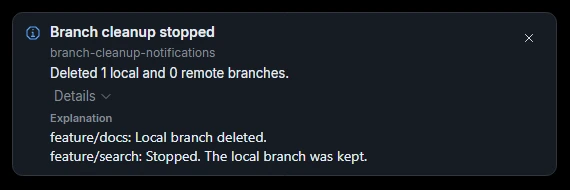
After the cleanup stops, expand Details in the notification. In this example, MoonGit deleted feature/docs and kept feature/search. Refresh the branch and Worktrees lists and check any recovery location named in the notification before retrying.