 MoonGit

 Deutsch
 Español
 Français
 日本語
 עברית
 Português (Brasil)
 繁體中文
Git subtree vs submodule: When to use each in MoonGit
Compare how Git subtrees and submodules store a dependency, then add and update the same library using MoonGit or Git commands.
Choose a Git subtree when a normal clone of the parent repository should contain the dependency's tracked files. Choose a Git submodule when the dependency should remain a separate Git repository and the parent should pin a specific commit. Both can put the same library under vendor/parser. The difference shows up when a teammate clones the parent, when you update the library, and when you review the resulting commit. Git subtree reference · Git submodule reference
What does a teammate get when they clone?
| Question | Git subtree | Git submodule |
|---|---|---|
| What does the parent store? | The library's files as an ordinary tracked directory. | A gitlink pointing to an exact dependency commit and a source mapping in .gitmodules. |
| What does a new clone need? | A normal clone and checkout of the parent. | A recursive clone or a separate initialization step, plus access to the dependency's repository. |
| Where do library edits get committed? | In the parent repository. Use a subtree split if you need to extract the directory's history for upstream. | In the dependency repository. Commit the new dependency pointer separately in the parent. |
| What does an update look like? | A file-level diff and commits in the parent. | A pointer change in the parent. Review the old and new dependency commits to see what changed. |
For example, a small parser that every contributor and build runner needs at checkout is a good candidate for a subtree. A parser maintained by another team with independent releases and existing repository access is a good candidate for a submodule. A subtree can also import an exact release. The choice is about where the source lives and how contributors get it.
Add and update a subtree in MoonGit
- Open the parent repository and switch to the branch where the import should land. Start with a clean working tree.
- Enable Git subtrees under Settings → Advanced features if needed. Open Subtrees on the branch bar or under More tools, then select Add subtree.
- Set the source Git URL, the upstream branch you intend to follow, and a new destination such as
vendor/parser. Choose the history mode. A squashed import keeps upstream history compact in the parent. Choose full history when your team needs the original upstream commits reachable there. - Select Fetch and preview import. Check the upstream revision and destination path before confirming. Review the resulting commit in the graph. The parent now tracks the files under
vendor/parser.
For the next upstream update, select the subtree and use Fetch and preview update. Inspect the incoming file changes before applying, especially if the parent has modified the same files. Keep the established history mode when updating. MoonGit subtree manual
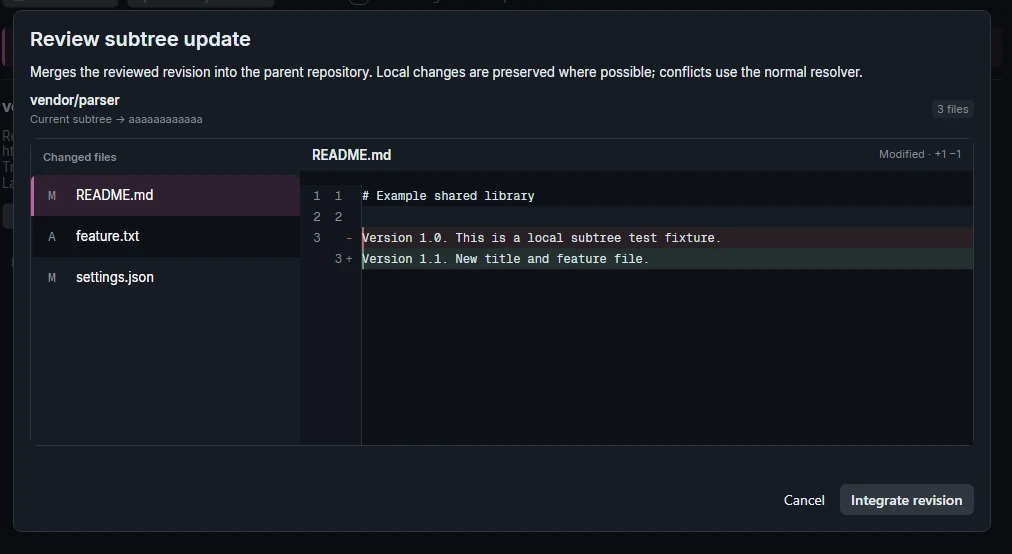
The following PowerShell example imports and updates two releases of the same dependency. Replace the sample URL and tags with your own. Run it from the parent, with an unused destination for the import and a Git installation that provides git subtree.
$upstream = 'https://git.example.org/team/parser.git'
git subtree add --prefix=vendor/parser --squash $upstream v1.2.0

# Later, on a clean checkout of the parent
git subtree pull --prefix=vendor/parser --squash $upstream v1.3.0
git log -1 --stat -- vendor/parser
Teammates get the new files when they pull and check out the parent commit. If you patch the imported files and want to contribute those changes back, commit them first, then use Split directory to branch to create a branch containing that directory's history. Review the branch before sharing it upstream.
Add and update a submodule in MoonGit
Use a separate example branch or a fresh parent repo if you already tried the subtree example. Both examples use vendor/parser.
- Enable Git submodules under Settings → Advanced features if needed. Open Submodules, then choose Add submodule.
- Enter the dependency's Git URL and choose
vendor/parseras the destination. Set a tracked branch if you want Update to latest… to follow a particular branch. Select Add submodule to create the checkout. - Review the parent repository's changes. Check
.gitmodulesand the submodule entry, stage both if needed, and commit them in the parent. The commit ID in the submodule entry is the version teammates will get.
If you opened a parent repo with an existing submodule, use Initialize or Initialize all… to check out the recorded commit. When you intend to advance the dependency, use Update to latest… and review the proposed revision. Update and stage submodule moves the checkout and stages the new pointer in the parent. Update checkout only lets you try that revision first. When it passes your tests, use Stage submodule update, then commit the pointer in the parent. MoonGit submodule manual
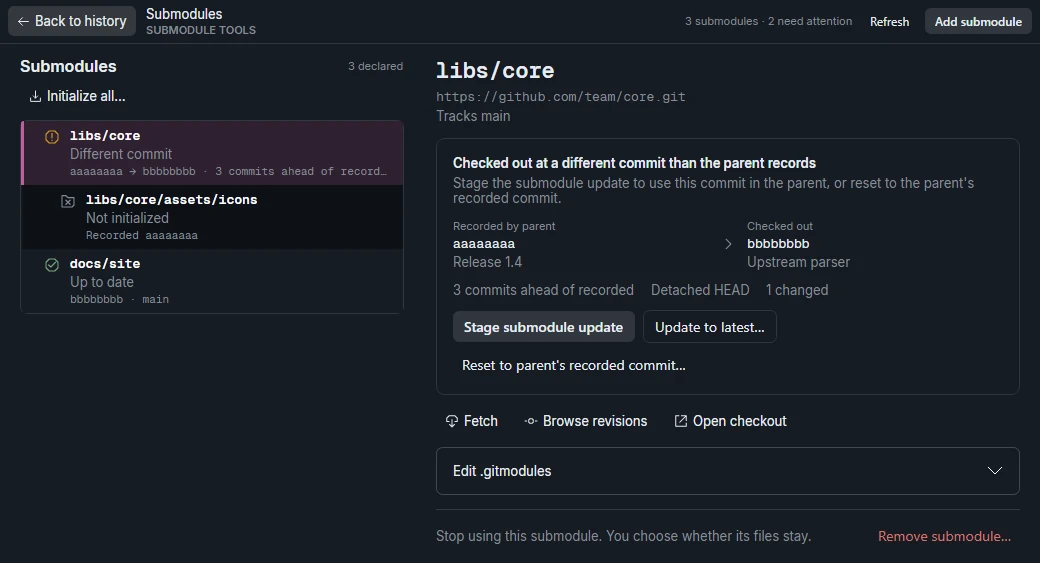
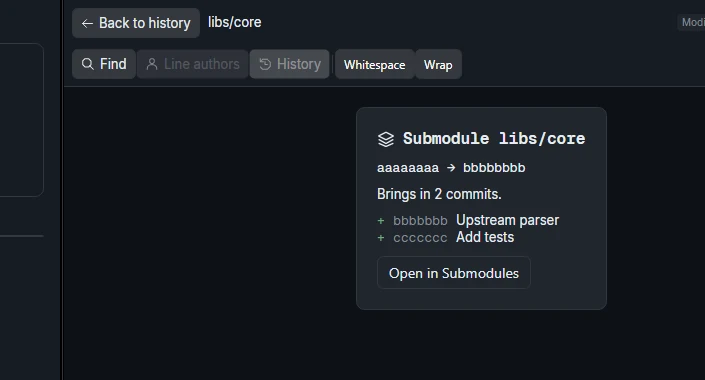
To pin a specific release tag from PowerShell, use a clean parent checkout and replace the URL and tag with ones your team can fetch.
$upstream = 'https://git.example.org/team/parser.git'
git submodule add $upstream vendor/parser
git -C vendor/parser switch --detach v1.2.0
git add .gitmodules vendor/parser
git commit -m 'Pin parser at v1.2.0'
When a new release is ready, check out the new tag inside the dependency and run the parent project's tests before recording the new pin.
git -C vendor/parser fetch --tags
git -C vendor/parser switch --detach v1.3.0

# After testing the new revision
git add vendor/parser
git diff --cached --submodule=log -- vendor/parser
git commit -m 'Pin parser at v1.3.0'
After cloning or switching the parent to a commit that changes its pin, run git submodule update --init --recursive from the parent to align the checkout. A detached HEAD is normal when Git checks out a specific dependency commit. If you need to edit the dependency, create a branch inside its checkout and publish that dependency commit before sharing the parent's pointer. That order gives teammates and CI a commit they can actually fetch. Git submodule commands