 MoonGit

 Deutsch
 Español
 Français
 日本語
 עברית
 Português (Brasil)
 繁體中文
Why GitHub Actions checks are missing for your latest commit
Find out whether you’re looking at the wrong commit, a workflow that did not run, or a CI result MoonGit cannot load.
When GitHub Actions checks are missing after a push, find the full commit SHA and look for the matching workflow run on GitHub. If there’s no run, inspect the event, branch and path filters, or required approval. If GitHub has the run but MoonGit can’t show it, verify the selected repository and account permissions.
Confirm which commit you expect GitHub to test
Open the checkout that contains your change. In PowerShell, or from the selected worktree in MoonGit's Git CLI, run:
git status --short --branch
git log -1 --format="%H %s"
Match the full ID to the commit on GitHub. If the branch is ahead, verify that the commit was pushed to the branch the PR uses. Edits still in the working tree or staging area are outside that commit. If a later push moved the branch, select its new tip in MoonGit before reading CI.
For a pull_request workflow, GitHub can run tests against a synthetic merge commit that combines the PR with its base. The SHA inside the run may therefore differ from the PR head SHA. Check the event, base and head in GitHub before concluding that the run belongs to another PR. GitHub Actions events
Check whether a workflow ran for that change
Open GitHub Actions for the repository and filter by the branch or pull request. Open the candidate run and verify its event and revision before inspecting jobs. If you find no matching run, check the workflow's on conditions and repository settings.
| What you see | What to check |
|---|---|
| A green check on the preceding commit | Match the current SHA. A new push needs its own applicable result. |
| A required check is waiting and no run is visible | Check whether branch or path filters skipped the workflow, or whether a forked pull request needs approval. |
| A run exists for the PR merge commit | Use the PR check details to see which revision GitHub actually tested. |
| GitHub shows the run and MoonGit says Unavailable | Verify the connected account, repository selection, and CI read permission in MoonGit. |
For example, a workflow that only runs when src/** changes can be skipped for a README-only change. A required check attached to that workflow can stay pending. Review the repository's workflow and required-check rules before rerunning or changing either. GitHub Actions workflow filters · GitHub’s required-check troubleshooting
Read the status in MoonGit
Connect an account that can read Actions for the repository, enable CI / Post-processes, and select the exact commit in the graph. If asked, choose the account and provider repository that own the run. No runs means the provider returned no runs for the selected commit. Unavailable indicates that MoonGit could not establish the status. If you see Last known status, check its timestamp and refresh before relying on it.
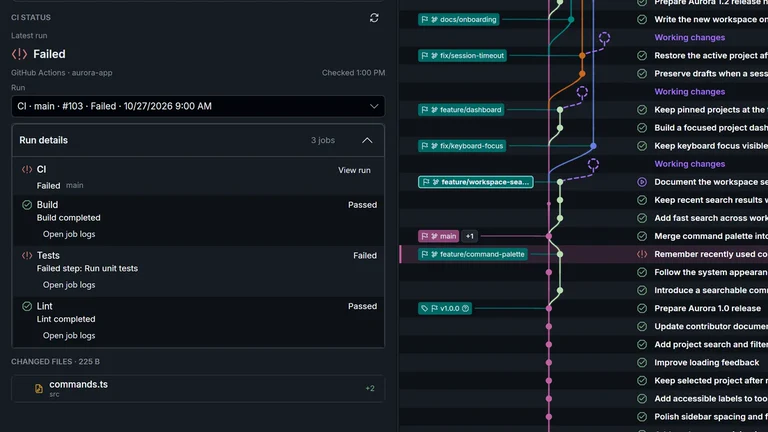
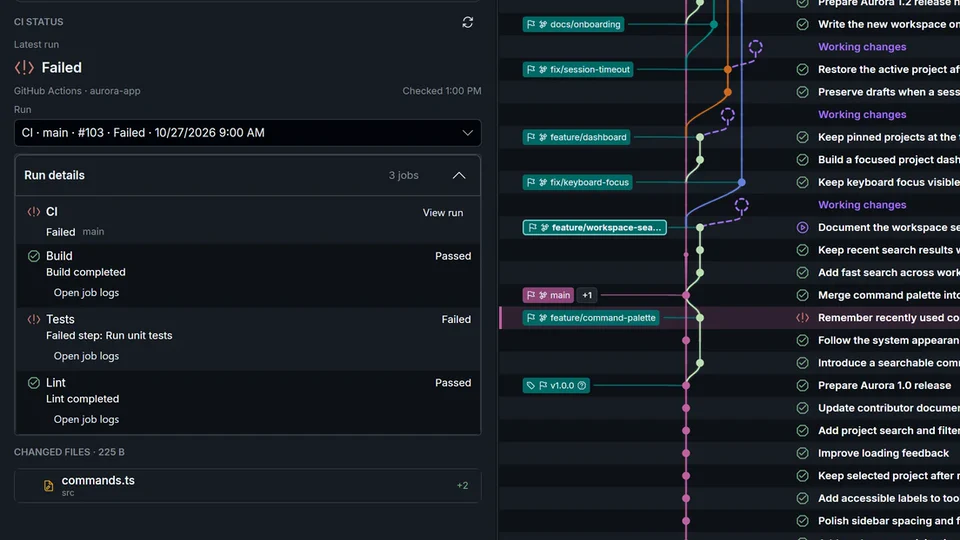
If you find the right run and it failed, open the failed job and inspect the logs from that attempt. Verify a fix against the replacement commit's result.
Set up CI checks in MoonGit · Find a failed GitHub Actions step