MoonGit
Troubleshoot common problems
Work through missing Git, remote authentication, checkout blockers, and settings recovery.
Git not found
Open a new PowerShell window and run git --version. It should report an installed version. If the command is missing, install Git for Windows, then restart MoonGit. For LFS features, run git lfs version as well. See Install MoonGit on Windows.
Permission denied or push rejected
Check the URL, host, and branch. For Permission denied on SSH, confirm the key is loaded and authorized by the host. For HTTPS, confirm that Git has credentials for that URL and that they grant the required repository access. Repository discovery in MoonGit Settings can succeed even while Git transport requires different credentials.
If you can't push because the remote has newer commits or the branch is protected, fetch and review the upstream or check the server's branch requirements. See Connected accounts and Fetch, pull, and push.
Checkout interrupted
Read the operation message to see which steps completed, which branch and checkout are active, and where saved work was recorded. If files are conflicted, resolve them before continuing. If MoonGit offered a retry, review the state shown until you know what will be retried. Open History & Recovery to inspect an earlier commit or saved changes.
The Store or app profile needs attention
If the Store no longer shows your copy, check the account and follow the Microsoft Store Library guide. If MoonGit starts in profile recovery, compare the available backup dates and review which settings will revert before restoring.
Report a problem
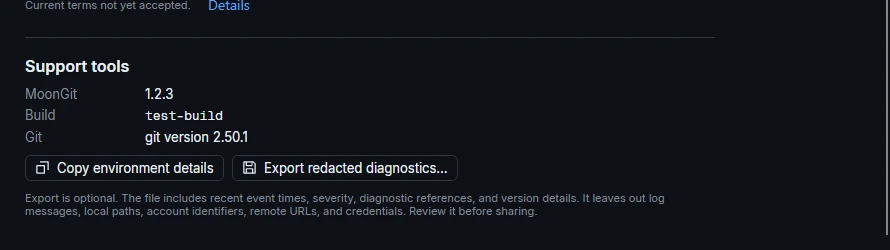
Open About and select Export redacted diagnostics… if support needs a diagnostic file. Review the export before sharing it. Include the app version, the operation, the short error or diagnostic reference, and a sequence someone can reproduce. Contact MoonGit support.