 MoonGit

 Deutsch
 Español
 Français
 日本語
 עברית
 Português (Brasil)
 繁體中文
How to review coding agents’ changes with Git worktrees
See commits and uncommitted changes from parallel coding agents in one graph, verify CI for the exact commit, and decide what is ready to merge.
Give each coding-agent task its own Git branch and worktree. Then use MoonGit’s shared commit graph to see which checkout has uncommitted edits, which commits are ready to review, and which commit a CI result belongs to.
Suppose one agent has edited the search screen without committing. Another committed a retry change, but its tests failed in CI. Their changes need different next steps.
| What you see | What to review |
|---|---|
| Uncommitted search edits | Open the search worktree’s working-changes row and check the diff. |
| A retry commit with failed CI | Open the exact commit and inspect the failed job for that SHA. |
| A passing commit with further local edits | Review the local diff and test a new commit if those edits should land. |
Give each task its own branch and checkout
Start each agent in a different worktree folder on a different branch. Give the folders and branches names that match the tasks. Before sending a task, check the folder and branch the agent is using. If both tasks will edit the same contract or configuration file, decide which change should land first so the second task can start from that result.
Here is a disposable PowerShell example with Git for Windows. It creates two local worktrees and simulates the Git state you might see after the agents have worked. The example requires no coding agent, remote repository or CI account.
$demo = Join-Path ([IO.Path]::GetTempPath()) ('moongit-agent-review-' + [guid]::NewGuid())
New-Item -ItemType Directory -Path $demo | Out-Null
$repo = Join-Path $demo 'repo'
$search = Join-Path $demo 'search'
$retry = Join-Path $demo 'retry'

git init -b main $repo
git -C $repo config user.name 'Worktree Demo'
git -C $repo config user.email 'worktree-demo@example.com'
git -C $repo config commit.gpgSign false
Set-Content (Join-Path $repo 'search.txt') 'Search results'
Set-Content (Join-Path $repo 'retry.txt') 'Retries=1'
git -C $repo add search.txt retry.txt
git -C $repo commit -m 'Create sample settings'
git -C $repo worktree add -b agent/search $search main
git -C $repo worktree add -b agent/retry $retry main

Add-Content (Join-Path $search 'search.txt') 'No results found'
Set-Content (Join-Path $retry 'retry.txt') 'Retries=3'
git -C $retry add retry.txt
git -C $retry commit -m 'Increase retry count'
Find the work that needs review
Open $repo in MoonGit. Use the Worktree column in the graph to match each working-changes row and branch tip to its checkout. Select the search checkout's working-changes row to see the uncommitted search.txt edit. Select Increase retry count to see the committed diff in retry.txt. Open the appropriate folder when you want to run the code.
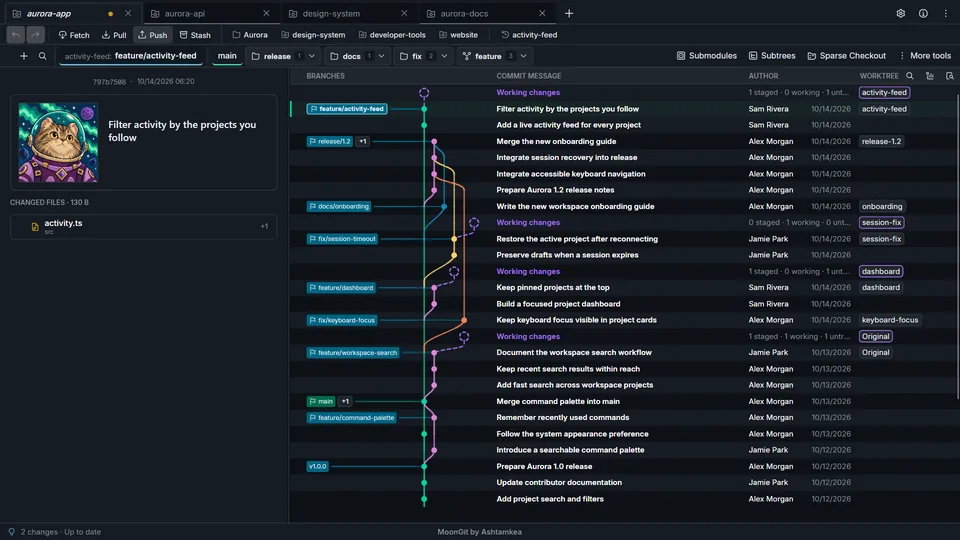
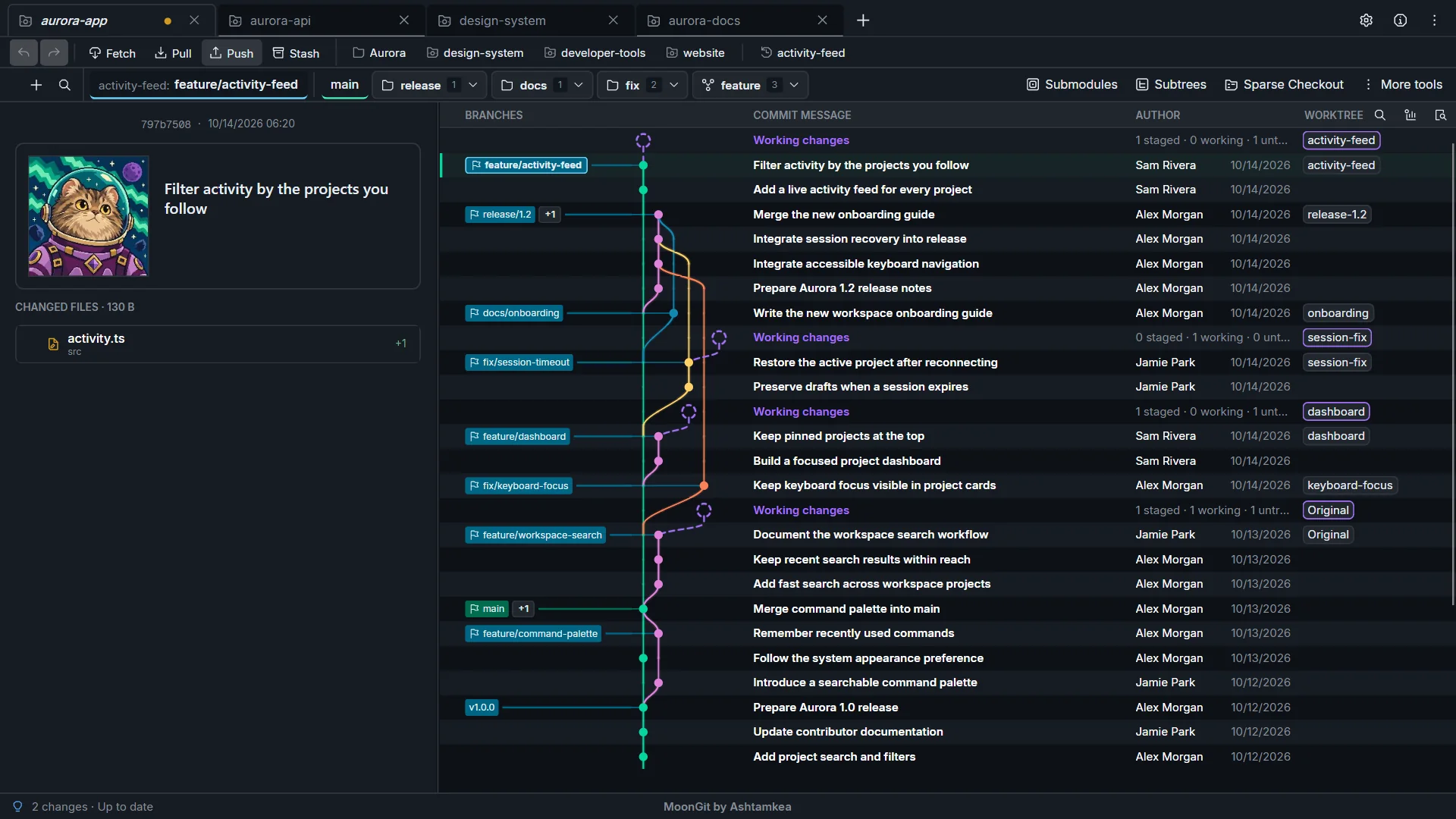
Use the worktree you assigned to an agent to connect Git changes to its task. If a checkout has both a commit and local edits, review both. A CI result for the commit applies to that committed snapshot and leaves the local edits untested.
Check CI for the exact commit
In a hosted repo, open the commit's CI status in the graph or inspector after connecting a supported account and enabling CI / Post-processes. Match the full commit ID to the provider run. If the retry commit failed and the provider supplies job details, open the failed job and follow the link to its logs. If a follow-up arrives, check the run for the new commit ID before treating the issue as resolved.
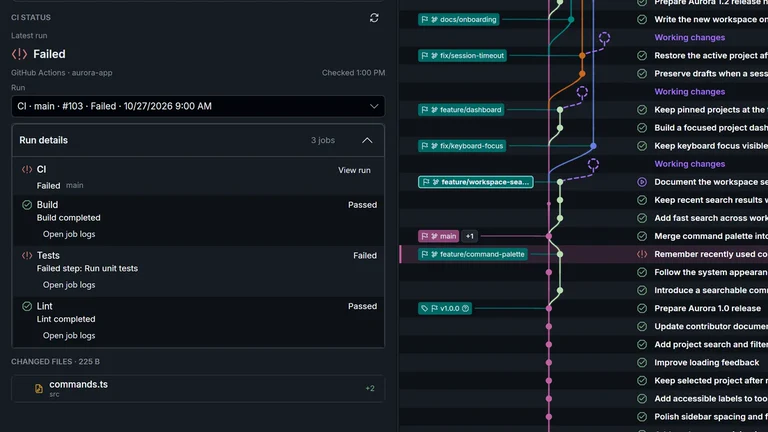
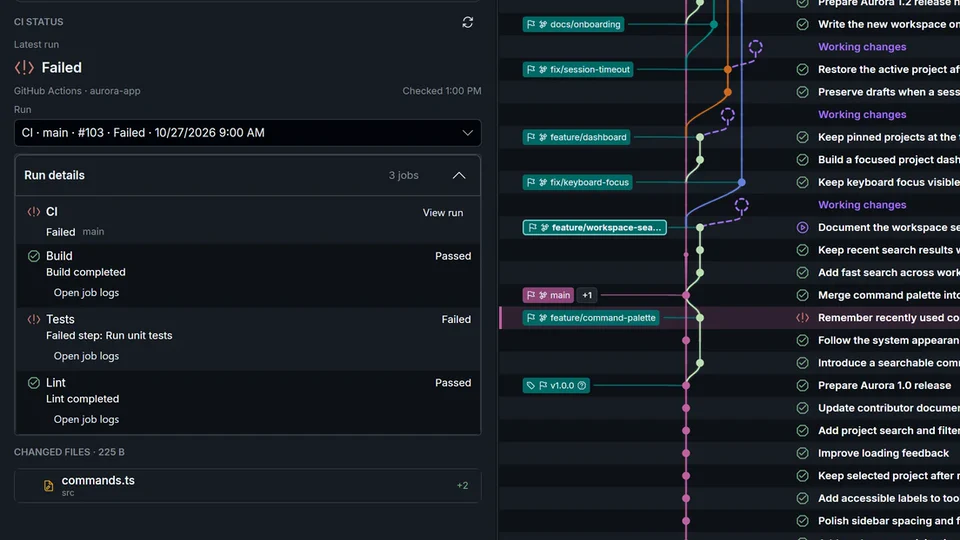
Keep the two states clear at handoff. For the search task, review the pending edits and decide what should go into a commit. For the retry task, send the commit ID and failed job back to the agent. Give each task its own review decision even when both branches are visible together. Supported hosting and CI providers
Clean up after the work lands
Once the change lands, check the destination branch and the checkout's current state. Save any staged, unstaged, untracked or ignored files you still need. Remove the finished worktree after reviewing the folder, and decide separately whether the branch can go. If a PR was squash-merged, inspect the landed changes and any later commits before deleting the source branch.
Create a review checkout on Windows · Verify a branch after a squash merge · Retire a worktree safely